Sample text in [brackets], replace with yours · HR & Office Templates
School Leaving Certificate Format (Word & PDF)
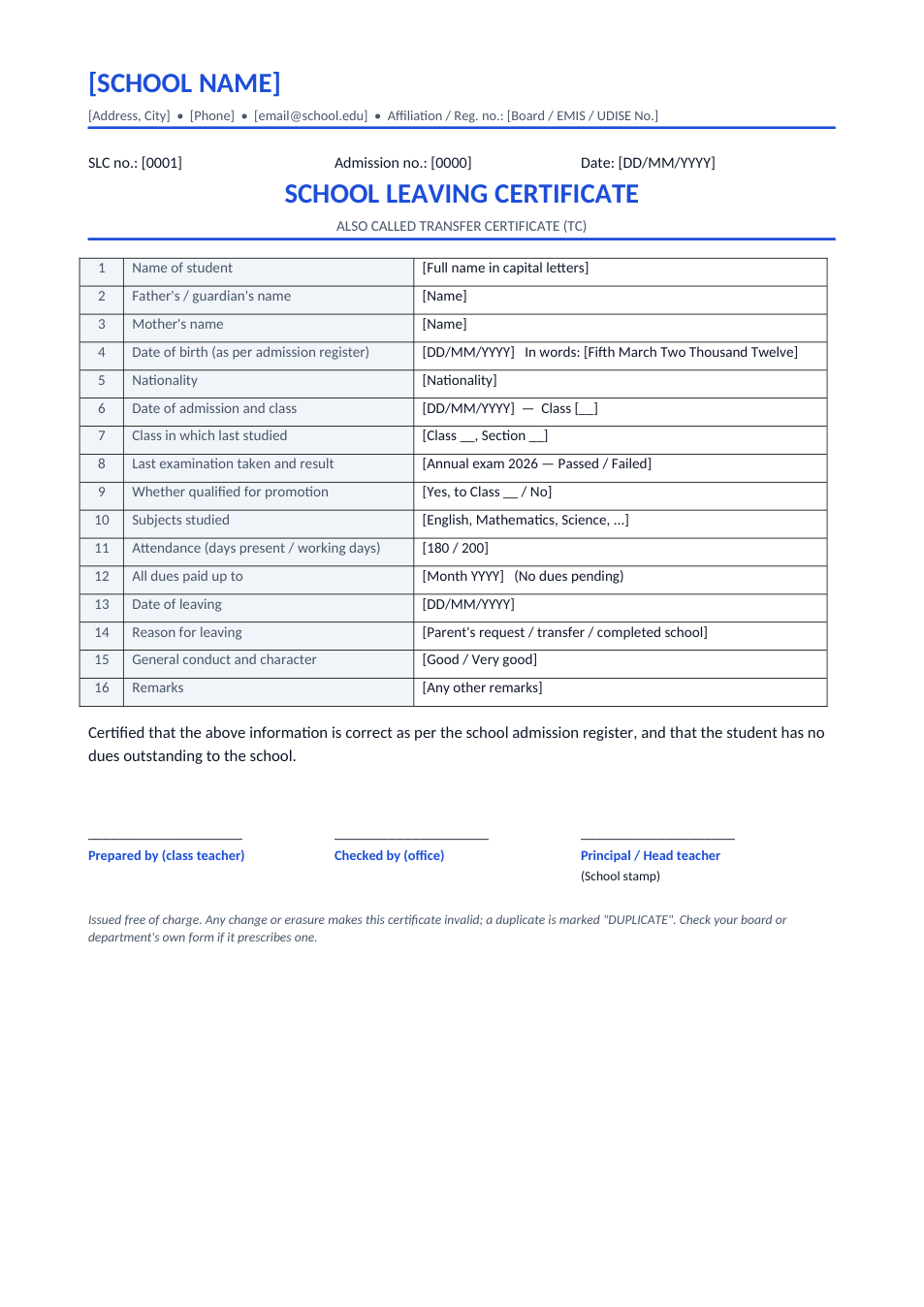
Also called a transfer certificate (TC): student details, date of birth in figures and words, admission and leaving dates, class, conduct and dues.
Opens in your browser. No Word needed, no signup.
Free for personal and commercial use · No watermark · Updated November 2026
Guide
About this school leaving certificate template
A school leaving certificate (SLC), also called a transfer certificate (TC), is issued by a school when a student leaves, so they can join another school or college or use it as proof of date of birth. It records the student's and parents' names, date of birth in figures and words as per the admission register, dates of admission and leaving, the class last studied and whether the student qualified for promotion, attendance, fee dues, conduct and the reason for leaving. This format has all of these fields in a numbered table, with signature lines for the class teacher, office and principal.
How to issue a school leaving certificate
- 1
Click "Edit online", or download the Word file.
- 2
Add the school name, address and affiliation or registration number at the top.
- 3
Fill in each field from the school admission register and the student's record.
- 4
Check that all fees and library dues are cleared.
- 5
Sign it, have the principal sign and stamp it, and give the original to the parent or student.
Tips for school offices
Copy from the register
The date of birth and names must match the admission register exactly.
Number every certificate
Keep a serial SLC number and a counterfoil or office copy.
Mark duplicates
If a certificate is lost, issue a copy clearly marked "DUPLICATE".
Check your board's form
Some boards and education departments prescribe their own TC format; use it where required.