Sample text in [brackets], replace with yours · HR & Office Letters
Salary Slip Format (Excel, Word & PDF)
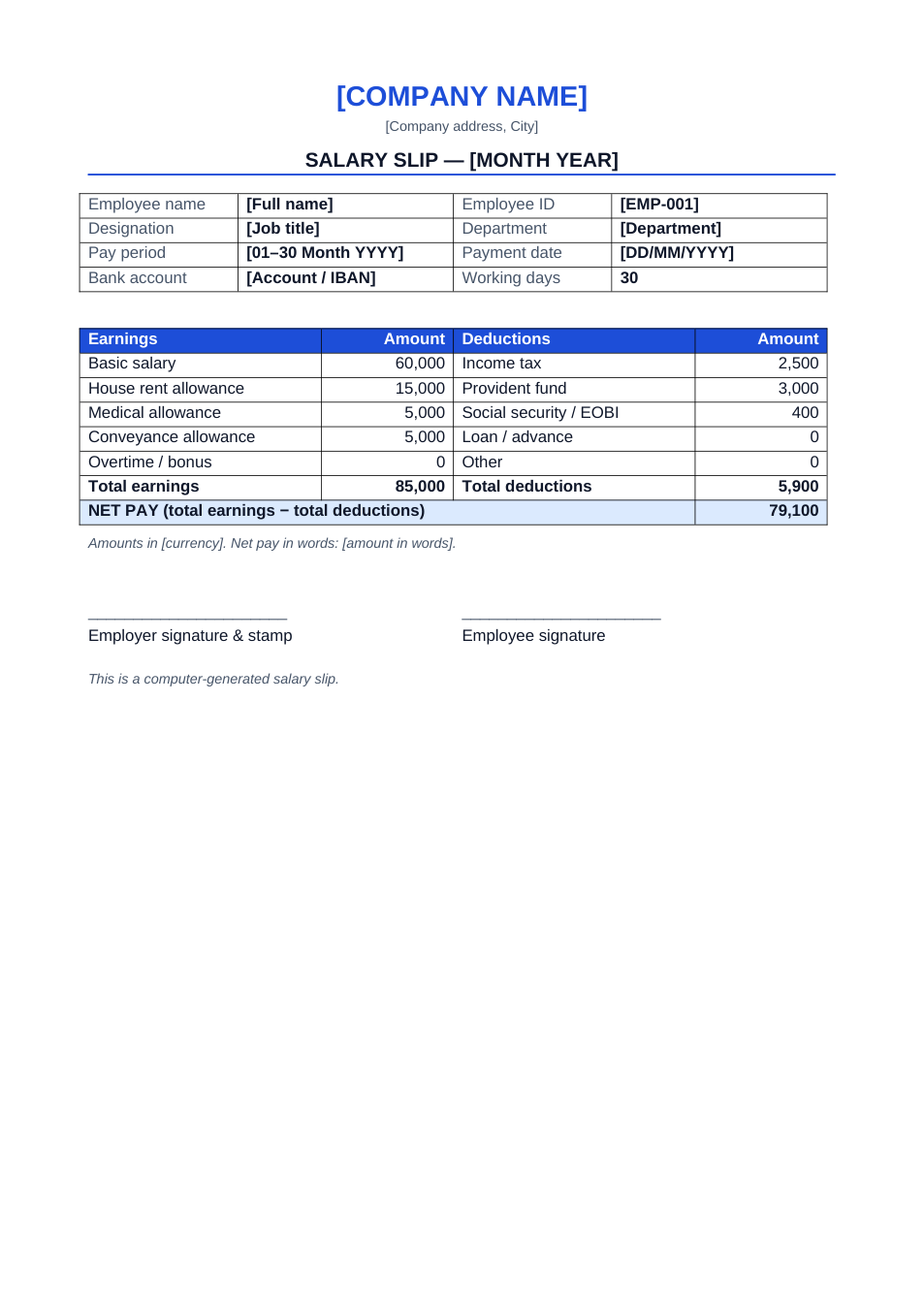
A monthly payslip with earnings, deductions and net pay. The Excel version calculates the totals.
Opens in your browser. No Excel needed, no signup.
Free for personal and commercial use · No watermark · Updated October 2026
Guide
About this salary slip template
A salary slip shows an employee what they earned in a month, what was deducted and what was paid. This format has employee and pay-period details, five earnings lines (basic salary and common allowances) and five deduction lines (tax, provident fund, social security, loans and other). In the Excel version, totals and net pay update as you type.
How to fill in this salary slip
- 1
Click "Edit online" to open the Excel version, or download Excel or Word.
- 2
Add the company name and the month the slip covers.
- 3
Fill in the employee details, pay period, payment date and working days.
- 4
Enter each earning and deduction. In Excel, totals and net pay calculate automatically.
- 5
Download it as PDF for each employee, then sign and stamp it if required.
Tips for payroll
One file per month
Save a copy for each month (e.g. "Salary-Slip-Oct-2026.xlsx") so past slips stay unchanged.
Rename the allowances
Change the earning and deduction labels to match your company's pay structure.
Check tax rules
Income tax and social security deductions follow your country's rules. The sample figures are only examples.
Send slips as PDF
Employees use payslips for loans and visas; a PDF can't be altered by accident.
Frequently Asked Questions
Tools that help
Excel to PDF
Convert Excel spreadsheets to PDF with all sheets preserved
Merge PDF
Combine multiple PDF files into one document
Protect PDF
Password protect your PDF with AES-256 encryption. Control printing and copying permissions.
Compress PDF
Reduce PDF file size without losing quality