Sample text in [brackets], replace with yours · HR & Office Letters
Leave Application Format (Word & PDF)
A simple leave application for office or school: dates, reason, cover and return date.
Opens in your browser. No Word needed, no signup.
Free for personal and commercial use · No watermark · Updated October 2026
Guide
About this leave application template
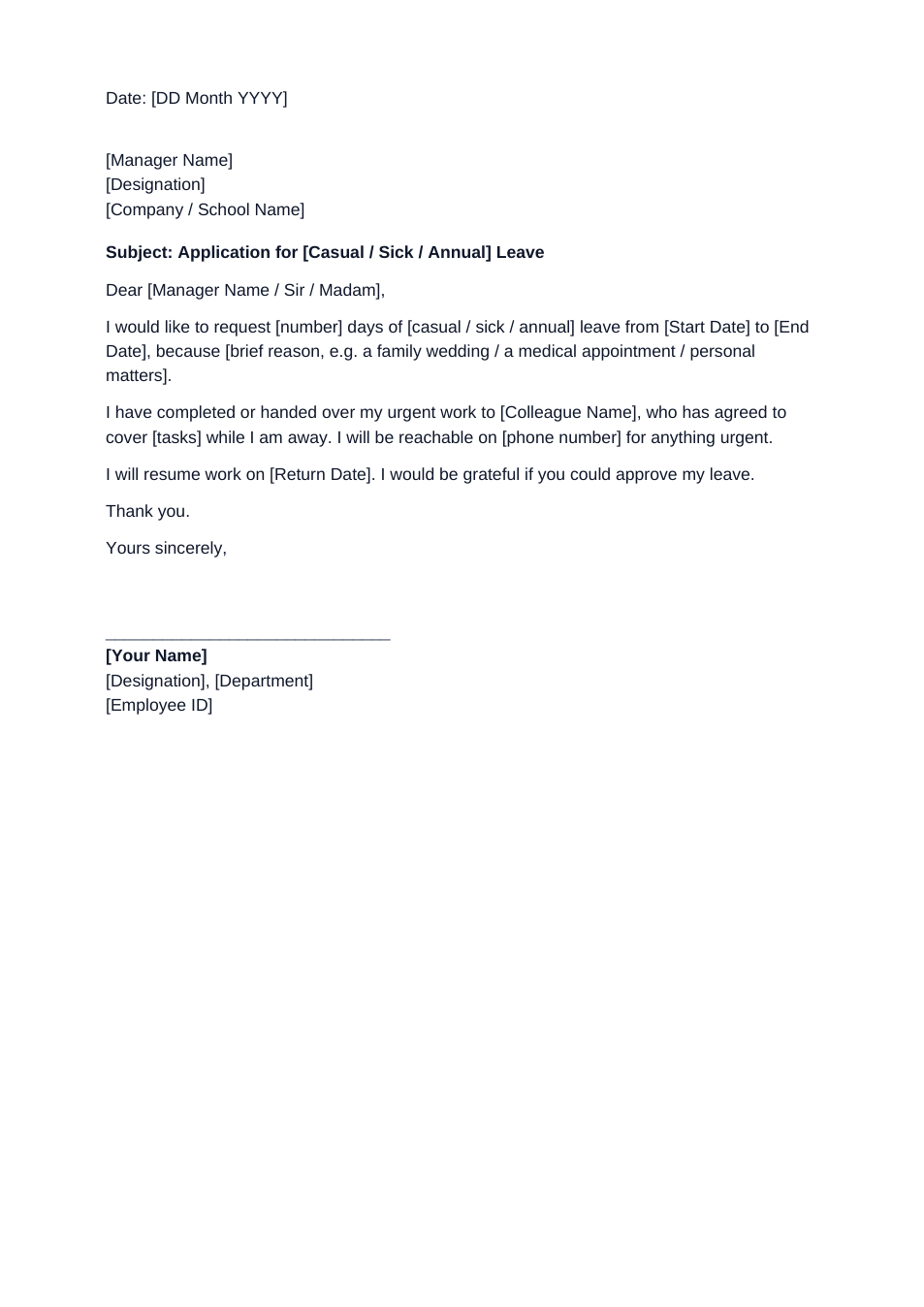
Whether you work in an office or teach at a school, a leave application should make approval easy: the type of leave, exact dates, a brief reason, who covers your work and when you return. This format includes all of these in a short, polite letter.
How to fill in this application
- 1
Open it with "Edit online", or download the Word file.
- 2
Choose the type of leave (casual, sick or annual) and delete the others.
- 3
Enter the number of days, start and end dates and a one-line reason.
- 4
Name the colleague covering your work and give a contact number for emergencies.
- 5
Add your name, designation and employee ID, then send it.
Tips for leave requests
Apply early
For planned leave, apply at least a week ahead so cover can be arranged.
Attach proof for sick leave
For more than two days of sick leave, many employers ask for a medical certificate.
Arrange cover first
Mentioning who will handle your work makes approval much more likely.
Keep the reason brief
One line is enough. You don't need to share private details.
Frequently Asked Questions
Tools that help
Word to PDF
Convert Word documents to PDF format with perfect formatting
JPG to PDF
Convert one or multiple JPG images into a PDF file
Compress PDF
Reduce PDF file size without losing quality
Sign PDF
Add a handwritten, typed, or uploaded signature to your PDF and download the signed file.