Sample text in [brackets], replace with yours · HR & Office Letters
Experience Letter Format (Word & PDF)
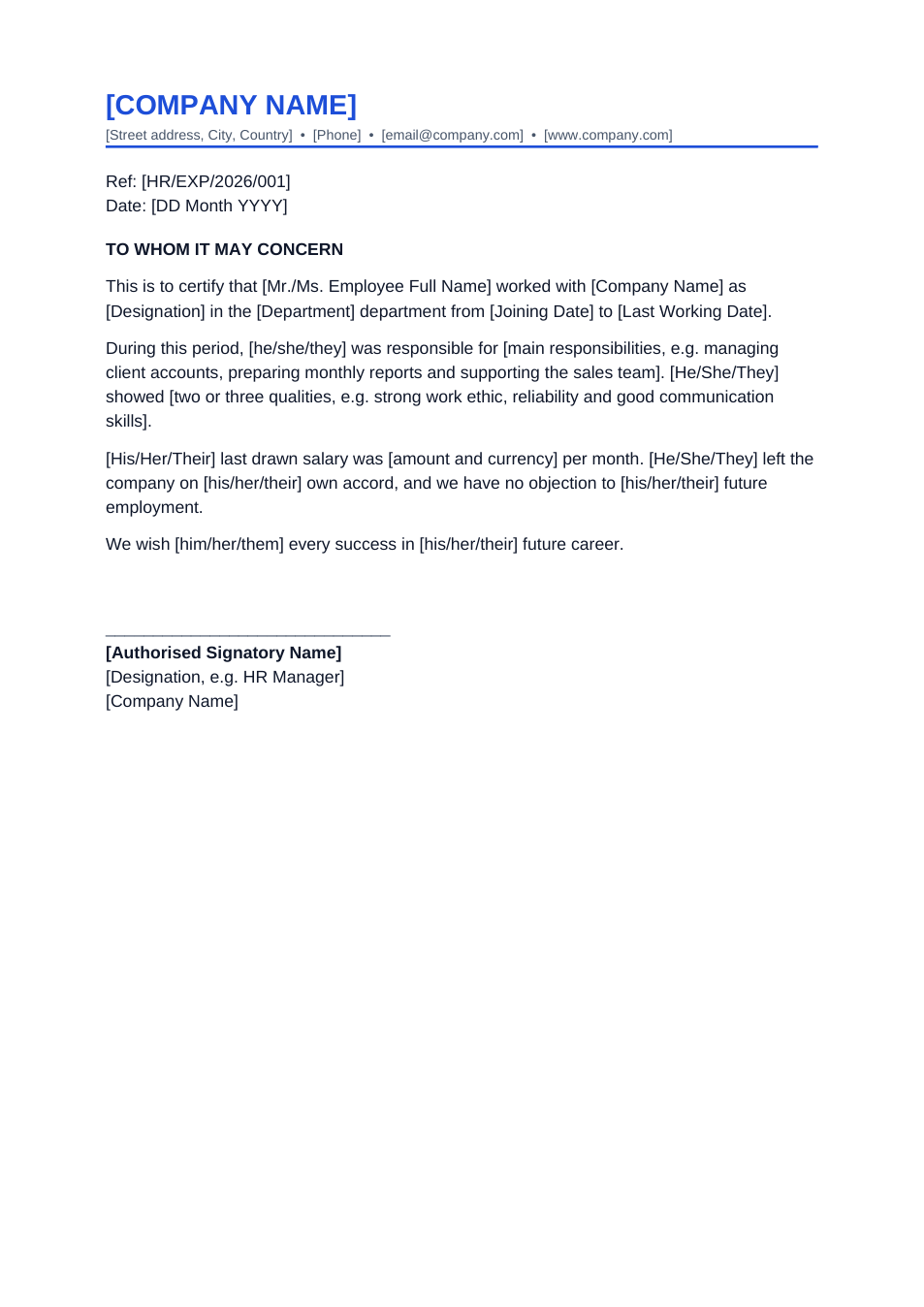
A ready-to-print experience certificate on company letterhead. Fill in the brackets and sign.
Opens in your browser. No Word needed, no signup.
Free for personal and commercial use · No watermark · Updated October 2026
Guide
About this experience letter template
An experience letter confirms that someone worked at your company, in which role and for how long. New employers, universities and visa offices often ask for one. This format covers the standard points — dates, designation, department, main duties, conduct and reason for leaving — on a simple letterhead.
How to fill in this letter
- 1
Open it with "Edit online", or download the Word file.
- 2
Replace [COMPANY NAME] and the address line with your company's details, or paste it onto your own letterhead.
- 3
Fill in the employee's name, designation, department and exact joining and leaving dates.
- 4
Describe their main duties in one sentence and two or three qualities they showed.
- 5
Print it, sign and stamp it, or download it as PDF and sign it online.
Tips for HR teams
Use exact dates
Visa and background checks compare dates closely. Use the dates from your HR records.
Keep it factual
Stick to role, dates and verifiable duties. Save personal opinions for reference calls.
Add a reference number
A reference number lets anyone verifying the letter match it to your records.
Salary is optional
Some employees need it for loans or visas; leave the salary sentence out otherwise.
Frequently Asked Questions
Tools that help
Sign PDF
Add a handwritten, typed, or uploaded signature to your PDF and download the signed file.
Word to PDF
Convert Word documents to PDF format with perfect formatting
Watermark PDF
Add text watermarks to every page of your PDF. Set opacity, color, and rotation.
Compress PDF
Reduce PDF file size without losing quality