Sample text in [brackets], replace with yours · Agreements, Plans & Business Documents
Risk Assessment Template (Excel & PDF)
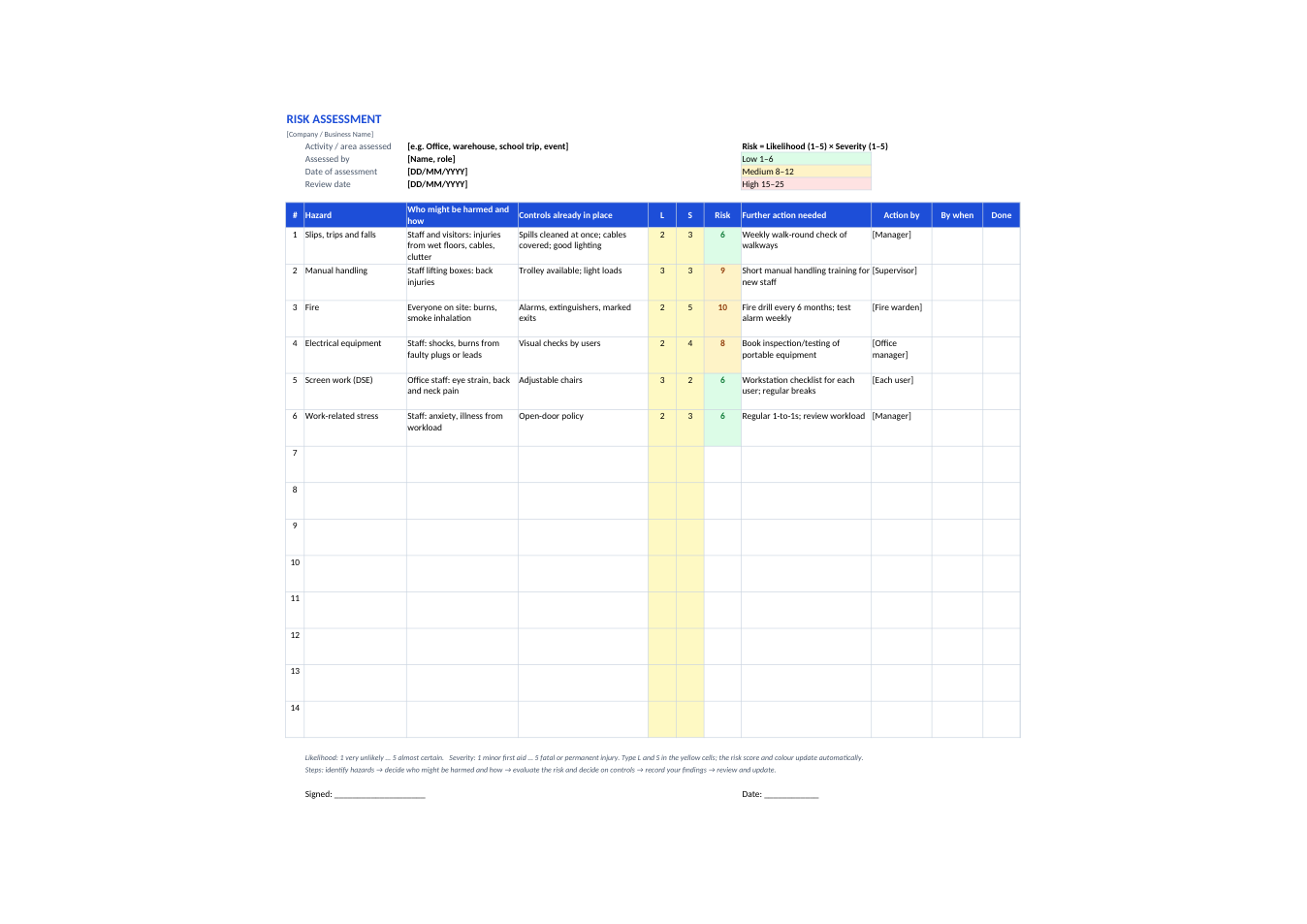
Hazards, who might be harmed, current controls, a 5×5 risk score that colours itself, further action, owner and date.
Opens in your browser. No Excel needed, no signup.
Free for personal and commercial use · No watermark · Updated November 2026
Guide
About this risk assessment template
A risk assessment records the hazards in a workplace or activity, who could be harmed and how, what you already do to control them, and what more is needed. This template follows the five common steps: identify hazards, decide who might be harmed and how, evaluate the risk and decide on precautions, record the findings, and review. Each hazard gets a likelihood and severity score from 1 to 5; the sheet multiplies them and colours the result green, amber or red so the biggest risks stand out. Six sample office hazards show how to fill it in.
How to do a risk assessment
- 1
Click "Edit online", or download the Excel file.
- 2
Enter the activity or area, who assessed it, the date and a review date.
- 3
Walk around and list each hazard, who might be harmed and how, and the controls already in place.
- 4
Score likelihood and severity from 1 to 5. The risk score and colour appear automatically.
- 5
For amber and red risks, write the further action, who will do it and by when, then mark it done when finished.
Risk assessment tips
Ask the people doing the work
Staff often know hazards a quick walk-round misses.
Think about everyone
Include visitors, contractors, new or young workers, pregnant workers and people with disabilities.
Deal with red first
Fix high scores before medium ones, and re-score after the action is done.
Review it
Look at it again after an accident, a change in work or equipment, and at least once a year.
Frequently Asked Questions
Tools that help
Excel to PDF
Convert Excel spreadsheets to PDF with all sheets preserved
PDF to Excel
Extract tables from PDF into editable Excel spreadsheets
Scan Document to PDF
Turn phone photos of documents into a clean, straightened PDF scan. Auto edge detection, filters, multiple pages.
Compress PDF
Reduce PDF file size without losing quality