Sample text in [brackets], replace with yours · Agreements, Plans & Business Documents
Action Plan Template (Excel & PDF)
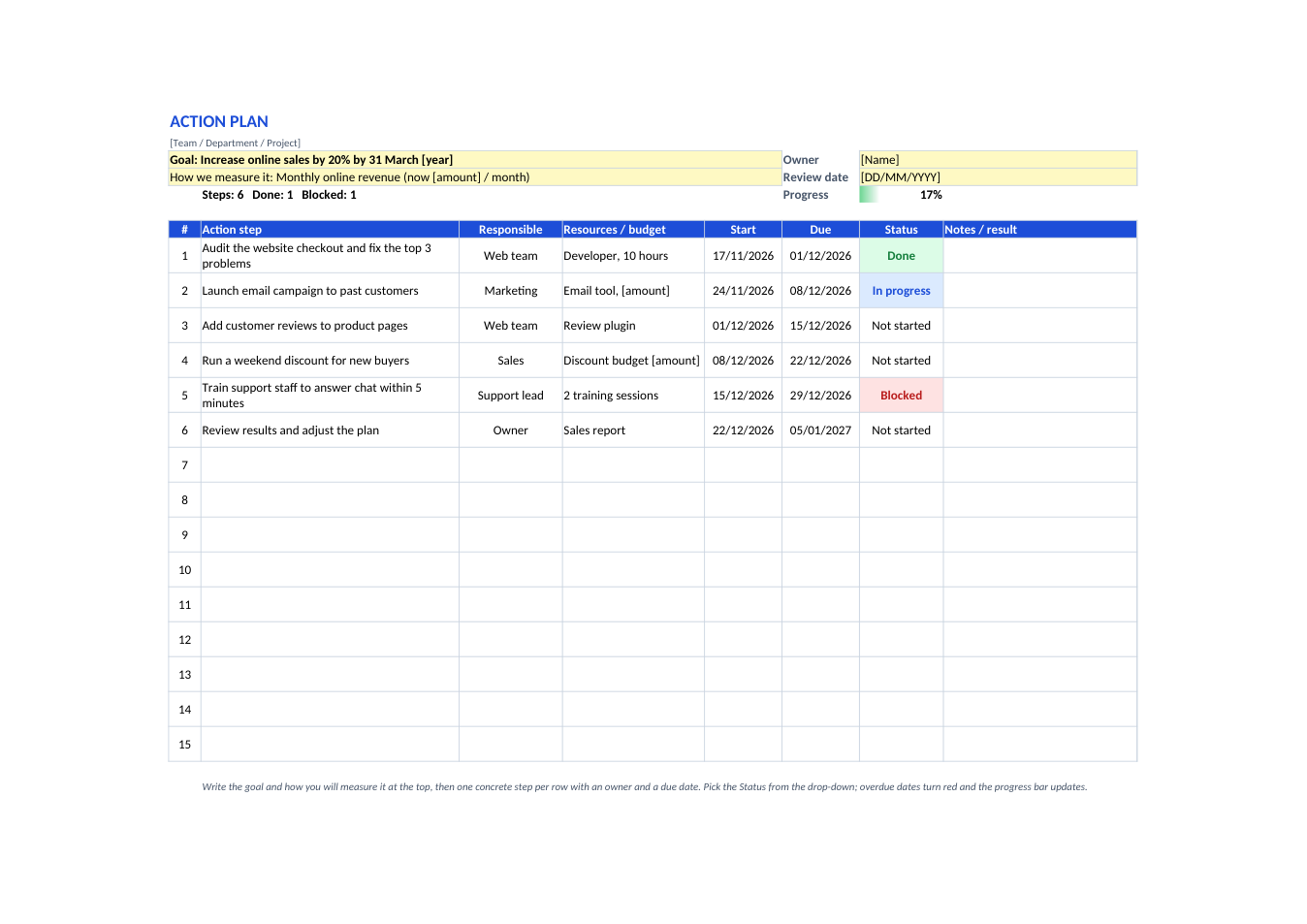
One goal and how you will measure it, then numbered steps with an owner, resources, start and due dates, status colours and a progress bar.
Opens in your browser. No Excel needed, no signup.
Free for personal and commercial use · No watermark · Updated November 2026
Guide
About this action plan template
An action plan turns a goal into concrete steps: what will be done, who will do it, what it needs, and by when. This template starts with the goal and the measure that tells you it has been reached, then lists up to 15 action steps with the responsible person, resources or budget, start and due dates, a status drop-down (Not started, In progress, Done, Blocked) and notes. Status cells change colour, overdue dates turn red, and a progress bar at the top shows how much of the plan is done. It works for business goals, projects, school improvement plans and personal goals.
How to write an action plan
- 1
Click "Edit online", or download the Excel file.
- 2
Write a specific goal with a deadline, and the number you will use to measure it.
- 3
Break the goal into steps small enough to finish in a week or two.
- 4
Give each step one responsible person, the resources it needs, and start and due dates.
- 5
Update the Status each week and review the plan on the review date.
Tips for an action plan that gets done
Make the goal SMART
Specific, measurable, achievable, relevant and time-bound: "Increase online sales by 20% by 31 March" beats "sell more".
One owner per step
A step shared by everyone is owned by no one.
Flag blockers early
Mark a step Blocked as soon as it stalls, and write what is needed in the notes.
Review regularly
A short weekly check keeps dates realistic and the plan alive.
Frequently Asked Questions
Tools that help
Excel to PDF
Convert Excel spreadsheets to PDF with all sheets preserved
PDF to Excel
Extract tables from PDF into editable Excel spreadsheets
Percentage Calculator
Calculate percentages, increase, decrease, and ratios
Compress PDF
Reduce PDF file size without losing quality