Sample text in [brackets], replace with yours · Agreements, Plans & Business Documents
Gate Pass Format (Word & PDF)
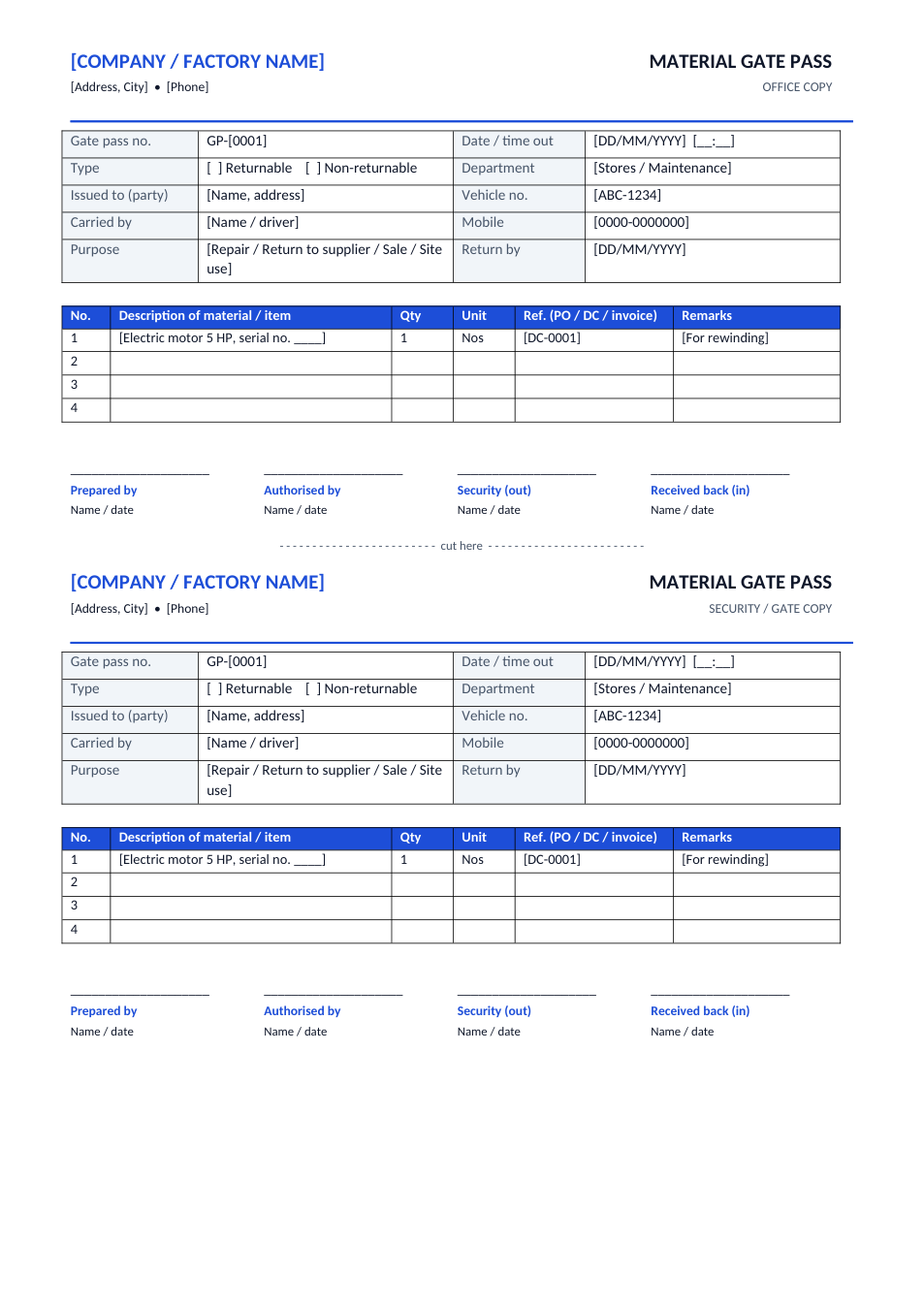
Material gate pass with returnable or non-returnable type, party, vehicle, item list and four signatures, printed as an office copy and a security copy.
Opens in your browser. No Word needed, no signup.
Free for personal and commercial use · No watermark · Updated November 2026
Guide
About this gate pass template
A gate pass is the written permission security needs before goods, tools or equipment leave a factory, warehouse, office or site. This material gate pass records the gate pass number, date and time out, whether the material is returnable (for example sent for repair) or non-returnable (sold or sent to another site), the party and vehicle, the person carrying it, the purpose and the expected return date, plus a table of items with quantity, unit and a PO, delivery challan or invoice reference. Each A4 page prints an office copy and a security copy.
How to fill in a gate pass
- 1
Click "Edit online", or download the Word file.
- 2
Add your company name and number the gate passes in sequence (GP-0001, GP-0002 …).
- 3
Tick Returnable or Non-returnable and fill in the party, vehicle, carrier and purpose.
- 4
List each item with quantity, unit and the document reference.
- 5
Get it authorised, give the security copy to the gate, and sign it back in when returnable items come back.
Tips for gate pass control
Number every pass
Pre-numbered passes make a missing or reused pass easy to spot.
Track returnables
Keep a list of open returnable passes and follow up on anything past its return date.
Match the documents
For sales, the gate pass should match the delivery challan or invoice.
Record serial numbers
For machines and tools sent for repair, write the serial number so the same item comes back.
Frequently Asked Questions
Tools that help
Word to PDF
Convert Word documents to PDF format with perfect formatting
PDF to Word
Convert PDF files to editable Word documents instantly
JPG to PDF
Convert one or multiple JPG images into a PDF file
QR Code Generator
Generate QR codes for URLs, text, WiFi and more