Sample text in [brackets], replace with yours · Agreements, Plans & Business Documents
Company Profile Template (Word & PDF)
A one-page company profile for tenders, suppliers, partners and investors.
Opens in your browser. No Word needed, no signup.
Free for personal and commercial use · No watermark · Updated October 2026
Guide
About this company profile template
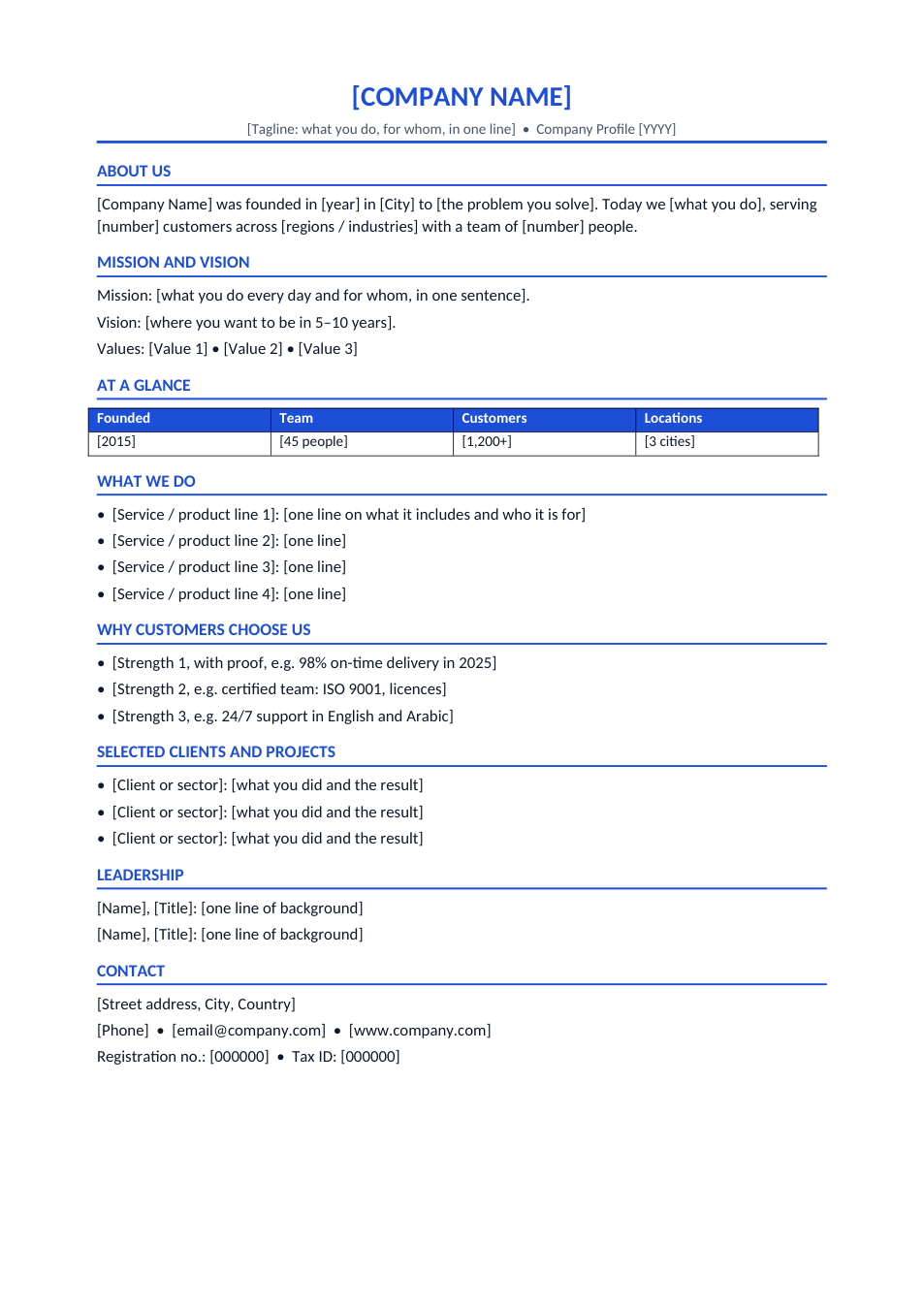
Tenders, vendor registrations, banks and big clients often ask for a company profile before they talk prices. This template fits the essentials on one page: who you are, your mission and values, key numbers at a glance, what you do, why customers choose you, selected clients and projects, leadership and contact and registration details. Send it as PDF or add it to the front of proposals.
How to write your company profile
- 1
Click "Edit online", or download the Word file.
- 2
Write a one-line tagline and a short "About us" with your founding year, location and size.
- 3
Fill in the at-a-glance numbers: they are the first thing readers look at.
- 4
List your main services and three strengths, each with proof.
- 5
Add clients, leadership and contact details, insert your logo, and save as PDF.
Tips for a strong company profile
Lead with numbers
Years in business, customers served and projects completed build trust fast.
Ask before naming clients
Get permission before listing a client by name, or describe them by sector.
Add certifications
Licences, ISO certificates and memberships matter in tenders. Mention them.
Keep it current
Update the profile every year so numbers and contacts stay accurate.
Frequently Asked Questions
Tools that help
Word to PDF
Convert Word documents to PDF format with perfect formatting
Compress PDF
Reduce PDF file size without losing quality
PDF to PowerPoint
Convert PDF files to PowerPoint presentations instantly
Remove Background
Automatically remove image backgrounds with AI precision