Sample text in [brackets], replace with yours · Agreements, Plans & Business Documents
Memo Format & Template (Word & PDF)
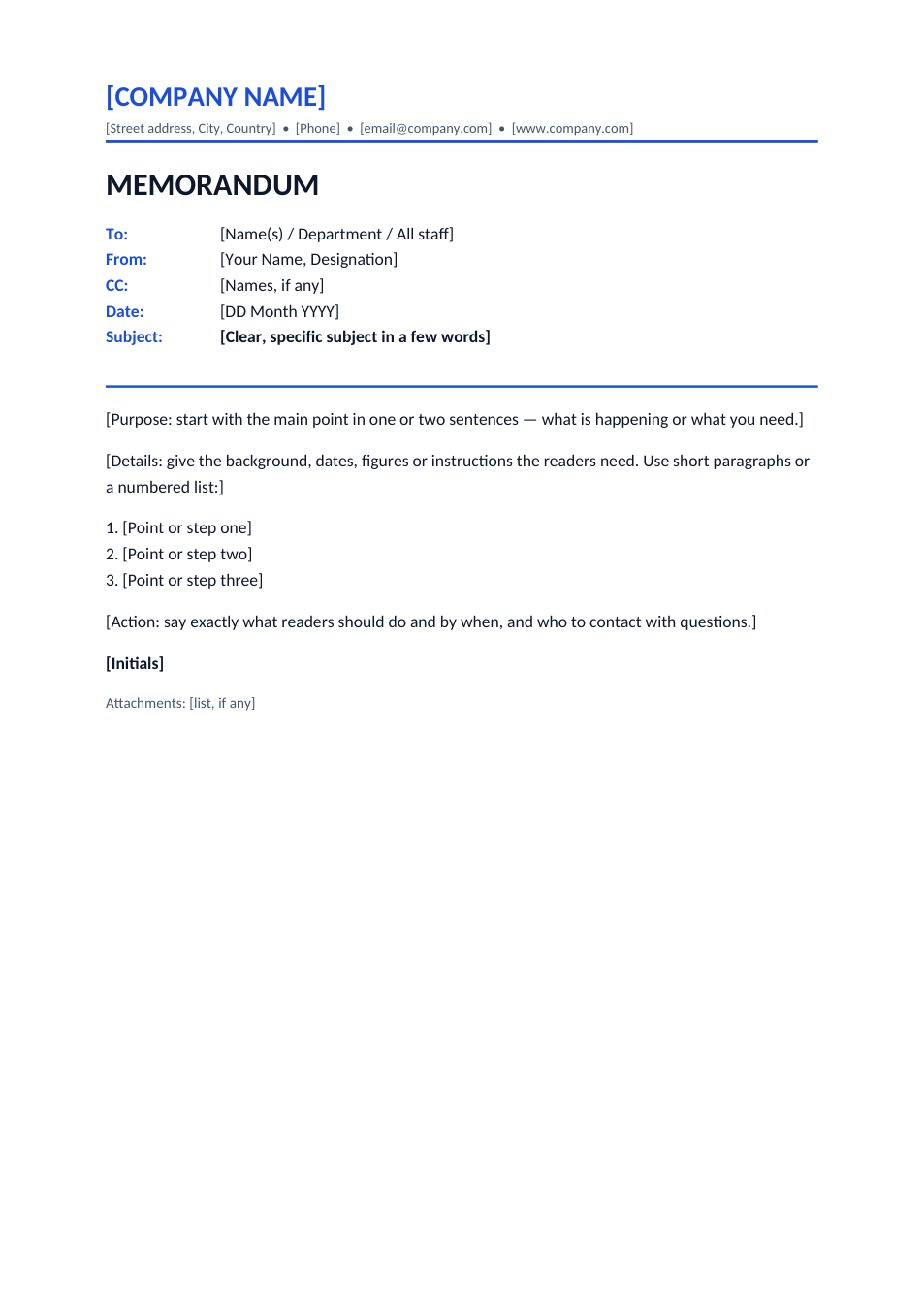
A standard office memorandum with heading block, purpose, details, action required and attachments.
Opens in your browser. No Word needed, no signup.
Free for personal and commercial use · No watermark · Updated November 2026
Guide
About this memo template
A memo (memorandum) is a short internal document used to tell staff about a decision, a change, a meeting or an instruction. Unlike a letter it has no greeting or closing: it starts with a heading block of To, From, CC, Date and Subject, then gets straight to the point. This template has the company header, the heading block, and a body in three parts: the purpose in one or two sentences, the details (as a numbered list if needed), and the action readers should take and by when.
How to write a memo
- 1
Click "Edit online", or download the Word file.
- 2
Add your company name, then fill in To, From, CC, Date and a specific Subject.
- 3
Open with the main point: what is happening or what you need.
- 4
Give the details readers need, as short paragraphs or a numbered list.
- 5
End with the action required and the deadline, add your initials, and send it by email or print it.
Memo writing tips
One topic per memo
Several unrelated topics get lost. Send separate memos.
Specific subject
"Office closed Friday 21 Nov for maintenance" tells readers everything before they open it.
Keep it to a page
If it needs more, attach the detail and summarise it in the memo.
Initial, don't sign
Memos are usually initialled next to the From line or at the end, not signed like letters.