Sample text in [brackets], replace with yours · Agreements, Plans & Business Documents
Report Writing Format (Word & PDF)
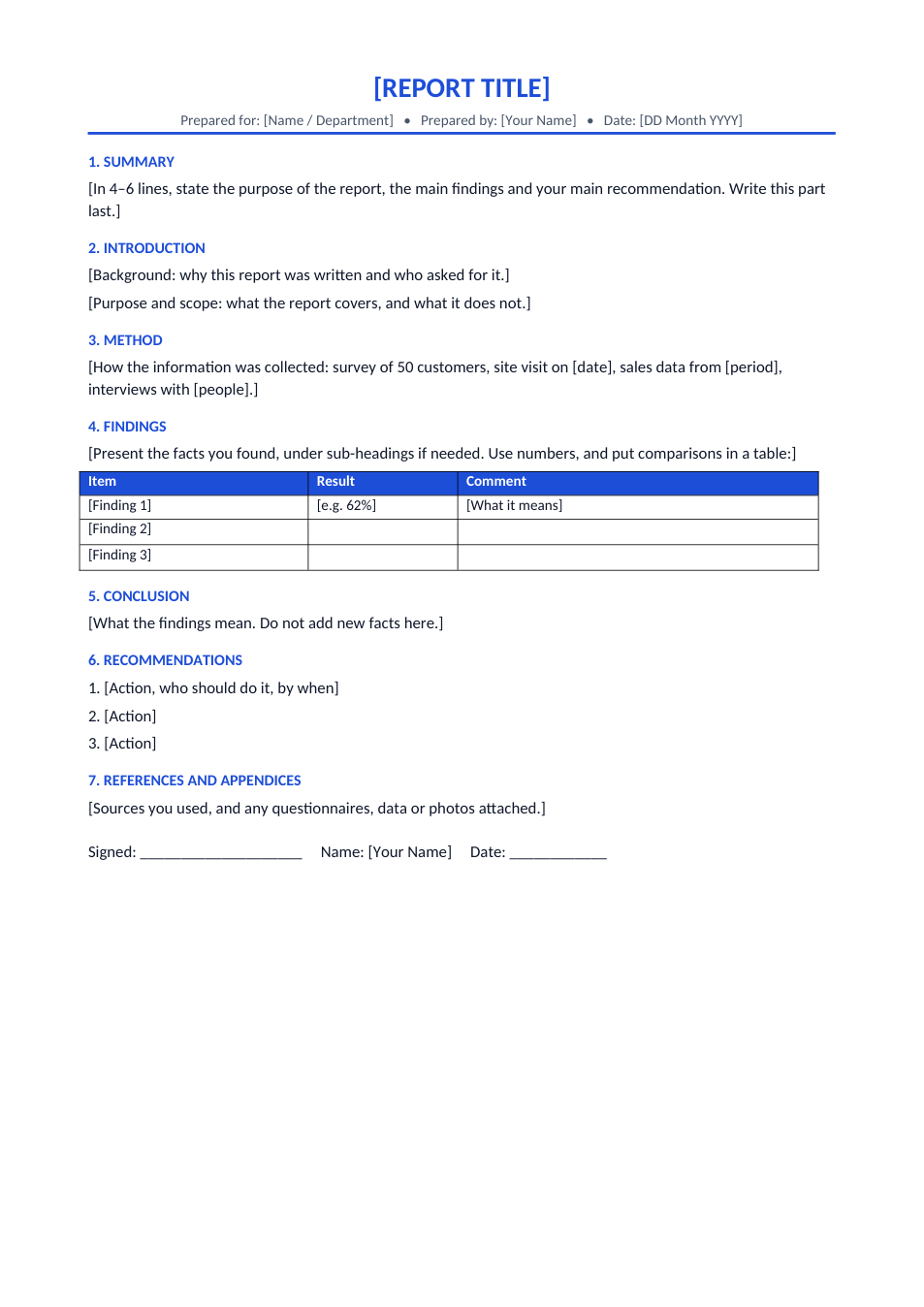
A report template with title block, summary, introduction, method, findings, conclusion and recommendations.
Opens in your browser. No Word needed, no signup.
Free for personal and commercial use · No watermark · Updated November 2026
Guide
About this report writing format template
A report presents facts you have collected and what should be done about them, in a set order so readers can find what they need quickly. The standard format is a title block (who it is for, who wrote it and when), a short summary, an introduction with purpose and scope, the method, the findings, a conclusion and numbered recommendations, followed by references and appendices. This template has every section with a note on what to write, and a table for presenting results.
How to write a report
- 1
Click "Edit online", or download the Word file.
- 2
Fill in the title, who the report is for, your name and the date.
- 3
Write the introduction (why and what) and the method (how you collected the information).
- 4
Present the findings under headings, with numbers and the table for comparisons. Then write the conclusion and recommendations.
- 5
Write the summary last, check it fits in a few lines, and save the report as PDF.
Report writing tips
Summary first, written last
Busy readers may only read the summary, so it must state the main finding and recommendation.
Facts in findings, opinions in conclusion
Keep what you found separate from what you think it means.
Number the sections
Numbered headings make it easy to refer to "section 4.2" in a meeting.
Make recommendations actions
Each one should say what to do, who should do it and by when.