Sample text in [brackets], replace with yours · Accounting & Small Business Spreadsheets
Salary Sheet Template — Monthly Payroll (Excel & PDF)
Pay every employee from one sheet: days paid, basic earned, allowances, overtime, deductions and net pay.
Opens in your browser. No Excel needed, no signup.
Free for personal and commercial use · No watermark · Updated October 2026
Guide
About this salary sheet (payroll) template
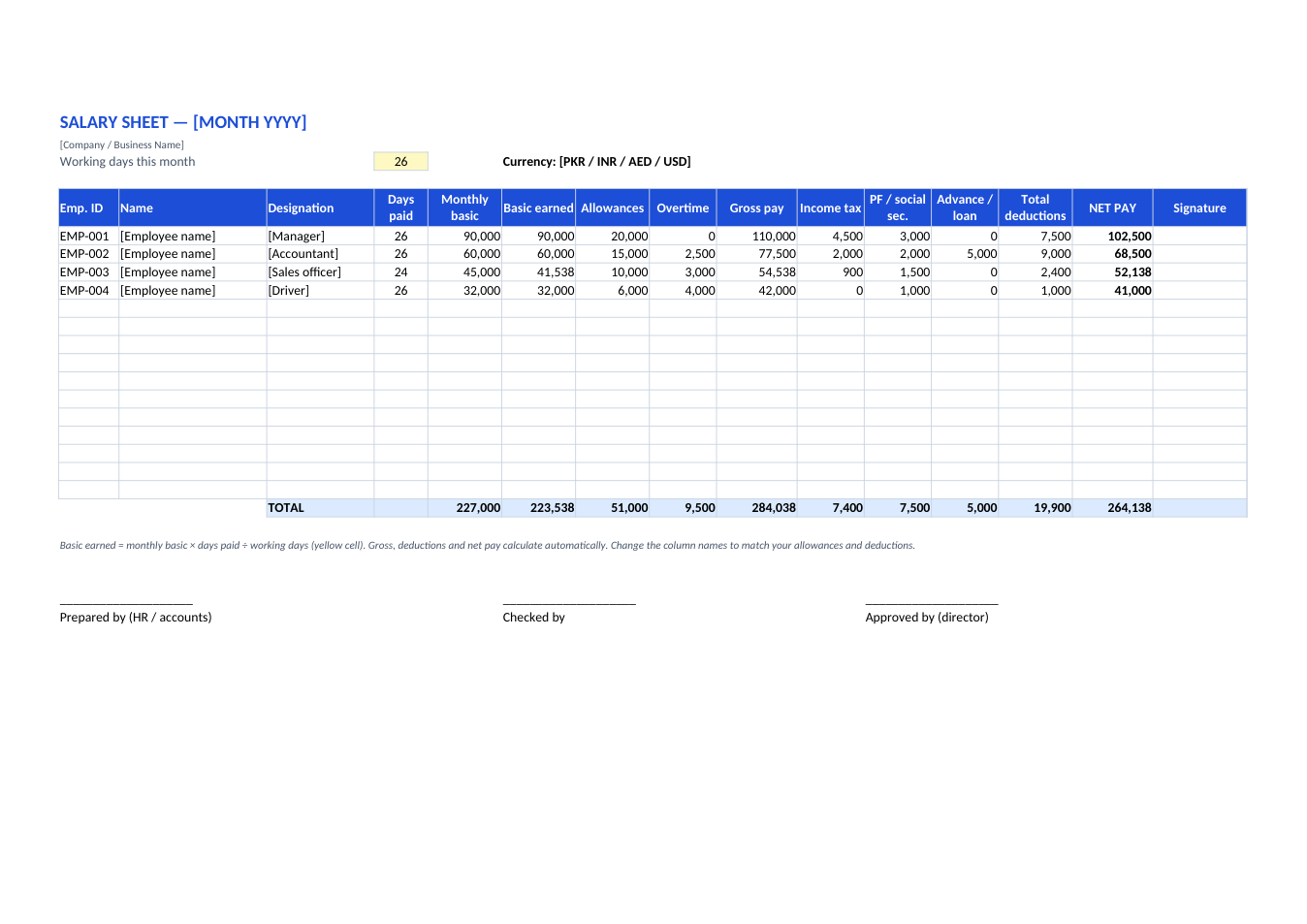
Small businesses usually run payroll from one spreadsheet. This salary sheet lists every employee with days paid, and calculates basic salary earned for the month from the working days you set. It adds allowances and overtime for gross pay, subtracts income tax, provident fund or social security, and advances, and shows net pay and totals for the whole company. Use it alongside our salary slip template to give each employee their own slip.
How to run payroll with this sheet
- 1
Click "Edit online" to open it in your browser, or download the Excel file.
- 2
Set the month and the number of working days in the yellow cell.
- 3
Enter each employee's ID, name, designation, monthly basic and days paid.
- 4
Add allowances, overtime and deductions; gross, total deductions and net pay calculate automatically.
- 5
Check the totals against your bank transfer, get it approved and signed, and save it as PDF.
Tips for payroll
Lock last month
Save each month as a separate file or tab and don't edit it after salaries are paid.
Match the bank
Total net pay should equal the total of your salary bank transfers.
Track advances
Deduct salary advances in instalments and note the balance outstanding for each employee.
Follow local rules
Tax slabs, provident fund and social security rates differ by country. Check them every year.
Frequently Asked Questions
Tools that help
Excel to PDF
Convert Excel spreadsheets to PDF with all sheets preserved
Percentage Calculator
Calculate percentages, increase, decrease, and ratios
PDF to Excel
Extract tables from PDF into editable Excel spreadsheets
Merge PDF
Combine multiple PDF files into one document