Sample text in [brackets], replace with yours · Accounting & Small Business Spreadsheets
Expense Report Template (Excel & PDF)
Claim business expenses with category drop-downs, automatic totals and the amount due after any advance.
Opens in your browser. No Excel needed, no signup.
Free for personal and commercial use · No watermark · Updated October 2026
Guide
About this expense report template
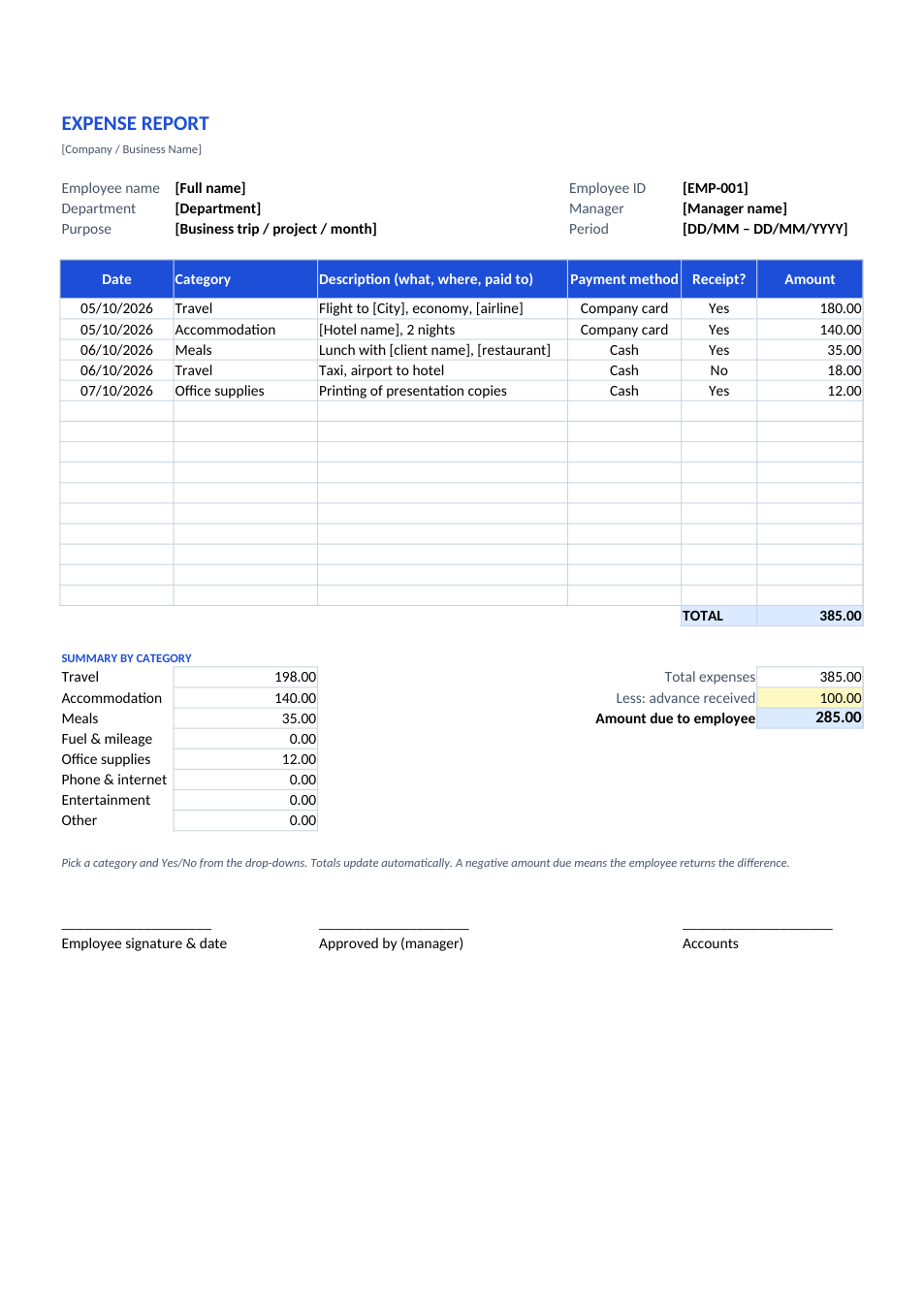
Employees use an expense report to claim back money spent on company business: travel, hotels, meals, fuel, supplies and client meetings. This sheet has a category drop-down on each line, totals each category automatically, subtracts any cash advance, and shows the amount due to the employee (or to be returned). It has signature lines for the employee, manager and accounts.
How to fill in an expense report
- 1
Click "Edit online" to open it in your browser, or download the Excel file.
- 2
Fill in your name, ID, department, manager, and the purpose and period of the expenses.
- 3
Add one line per expense: date, category from the drop-down, description, payment method, receipt Yes/No, and amount.
- 4
Type any advance you received in the yellow cell; the amount due updates automatically.
- 5
Attach receipts, sign it and send it as PDF to your manager for approval.
Tips for faster reimbursement
Keep every receipt
Photograph receipts the day you get them. Merge them into one PDF with the JPG to PDF tool and attach it.
Describe the business reason
"Lunch with [client] to discuss renewal" gets approved faster than "lunch".
Submit monthly
Most companies set a deadline (often 30 or 60 days). Old claims may be refused.
Check the policy limits
Hotels, meals and mileage usually have daily caps. Stay inside them to avoid queries.