Sample text in [brackets], replace with yours · Accounting & Small Business Spreadsheets
Business Budget Template — Budget vs Actual (Excel & PDF)
Plan monthly income and expenses, enter what actually happened, and see variance and net profit instantly.
Opens in your browser. No Excel needed, no signup.
Free for personal and commercial use · No watermark · Updated October 2026
Guide
About this monthly business budget template
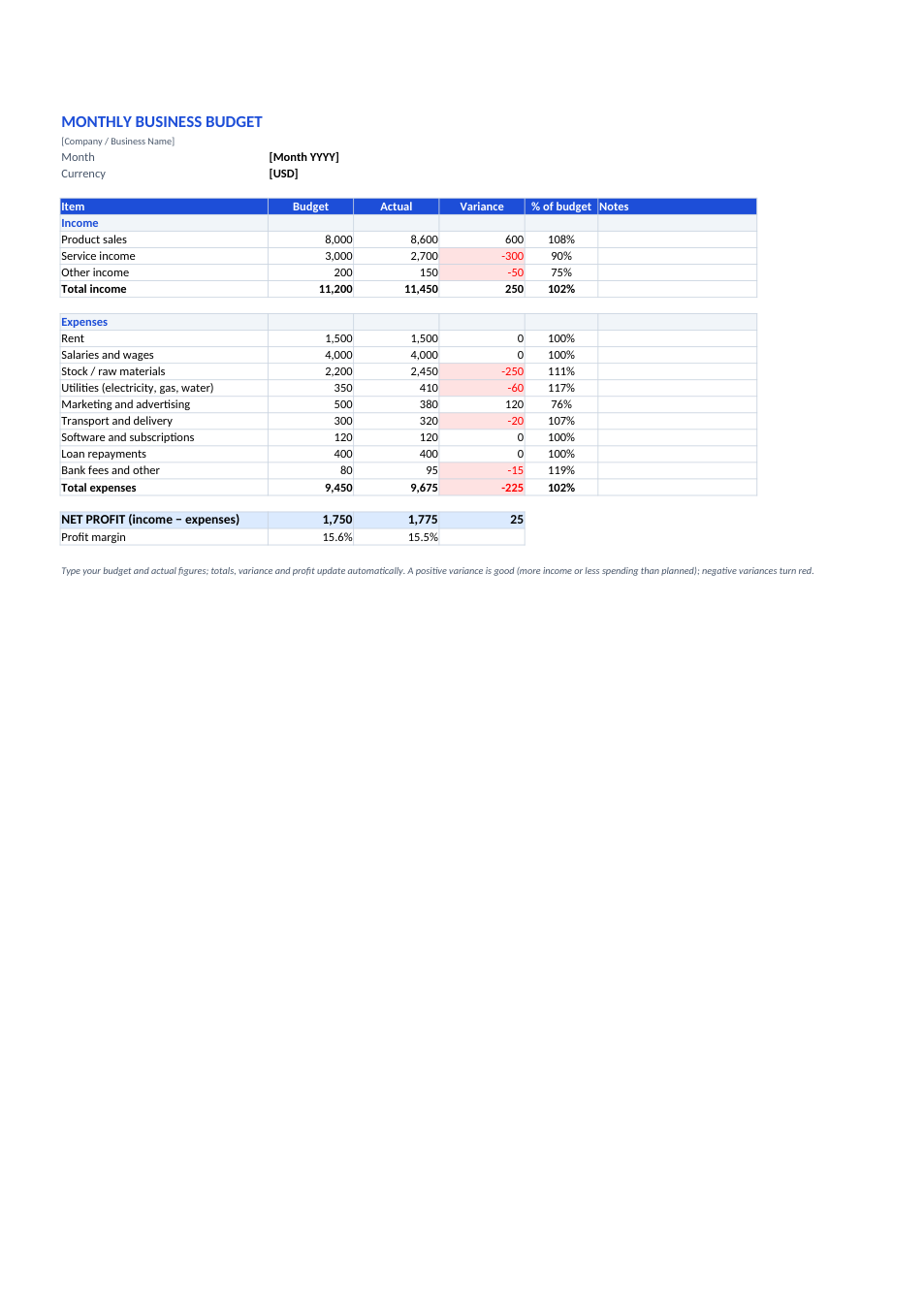
A budget only helps if you compare it with what really happened. This sheet lists income and expense lines for a typical small business, with columns for budget, actual, variance and % of budget. Totals, net profit and profit margin calculate automatically, and any line that is worse than planned turns red, so you see at a glance where money is leaking.
How to use this budget
- 1
Click "Edit online" to open it in your browser, or download the Excel file.
- 2
Rename the income and expense lines to match your business.
- 3
At the start of the month, fill in the Budget column.
- 4
At month-end, fill in the Actual column from your bank statement, cash book and invoices.
- 5
Check the red variances and note the reason in the Notes column.
Tips for budgeting
Start from last year
Use last year's actual figures for the same month, then adjust for planned changes.
Budget for irregular costs
Split yearly costs such as insurance, licences and repairs into monthly amounts.
Watch the margin
A rising profit margin means costs are under control even if sales are flat.
Feed it from a cash book
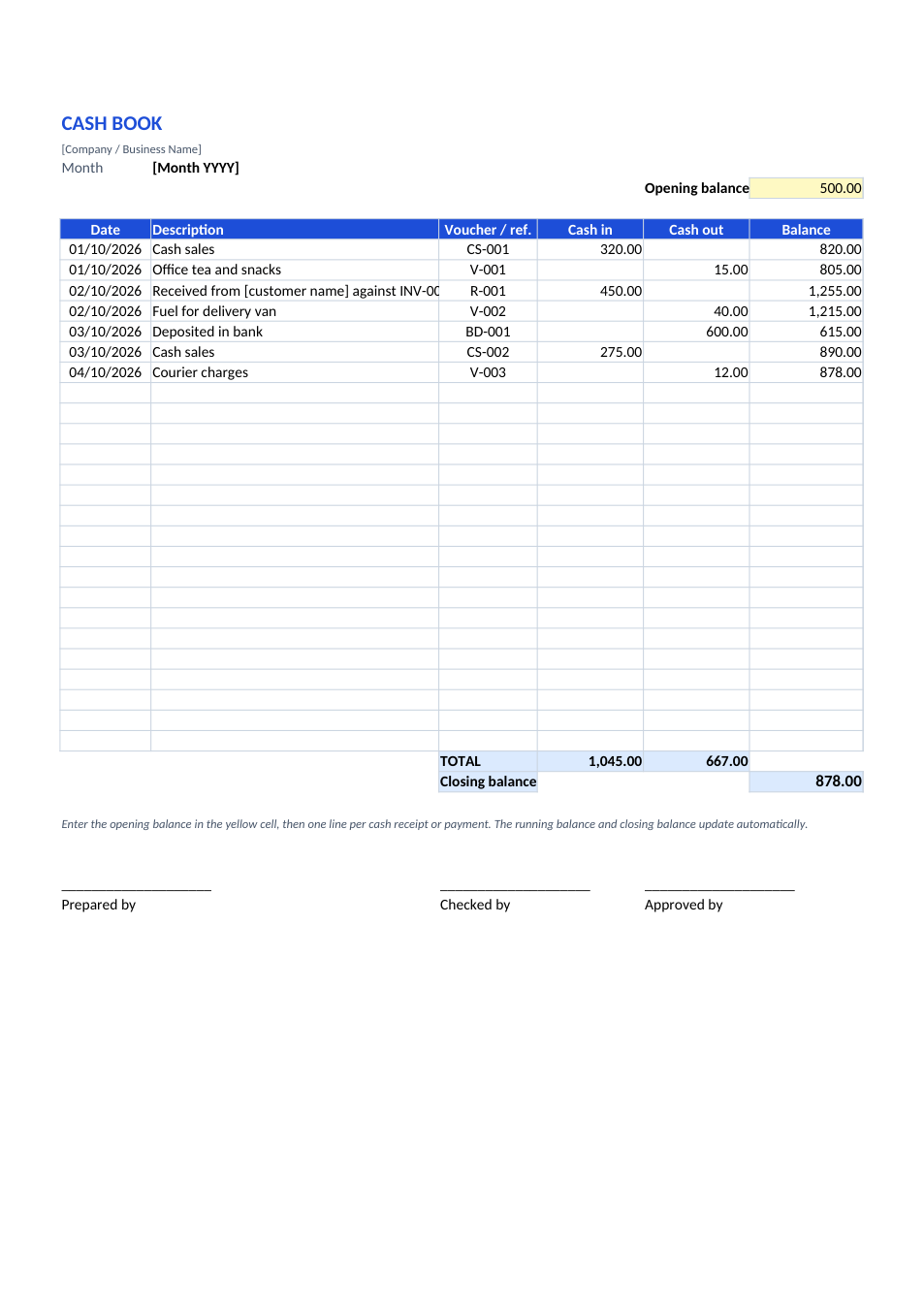
Record daily cash with our cash book template and total it here at month-end.
Frequently Asked Questions
Tools that help
Excel to PDF
Convert Excel spreadsheets to PDF with all sheets preserved
Percentage Calculator
Calculate percentages, increase, decrease, and ratios
Loan Calculator
Calculate EMI, total interest, and loan amortization
PDF to Excel
Extract tables from PDF into editable Excel spreadsheets