Sample text in [brackets], replace with yours · Accounting & Small Business Spreadsheets
Inventory Sheet Template — Stock Register (Excel & PDF)
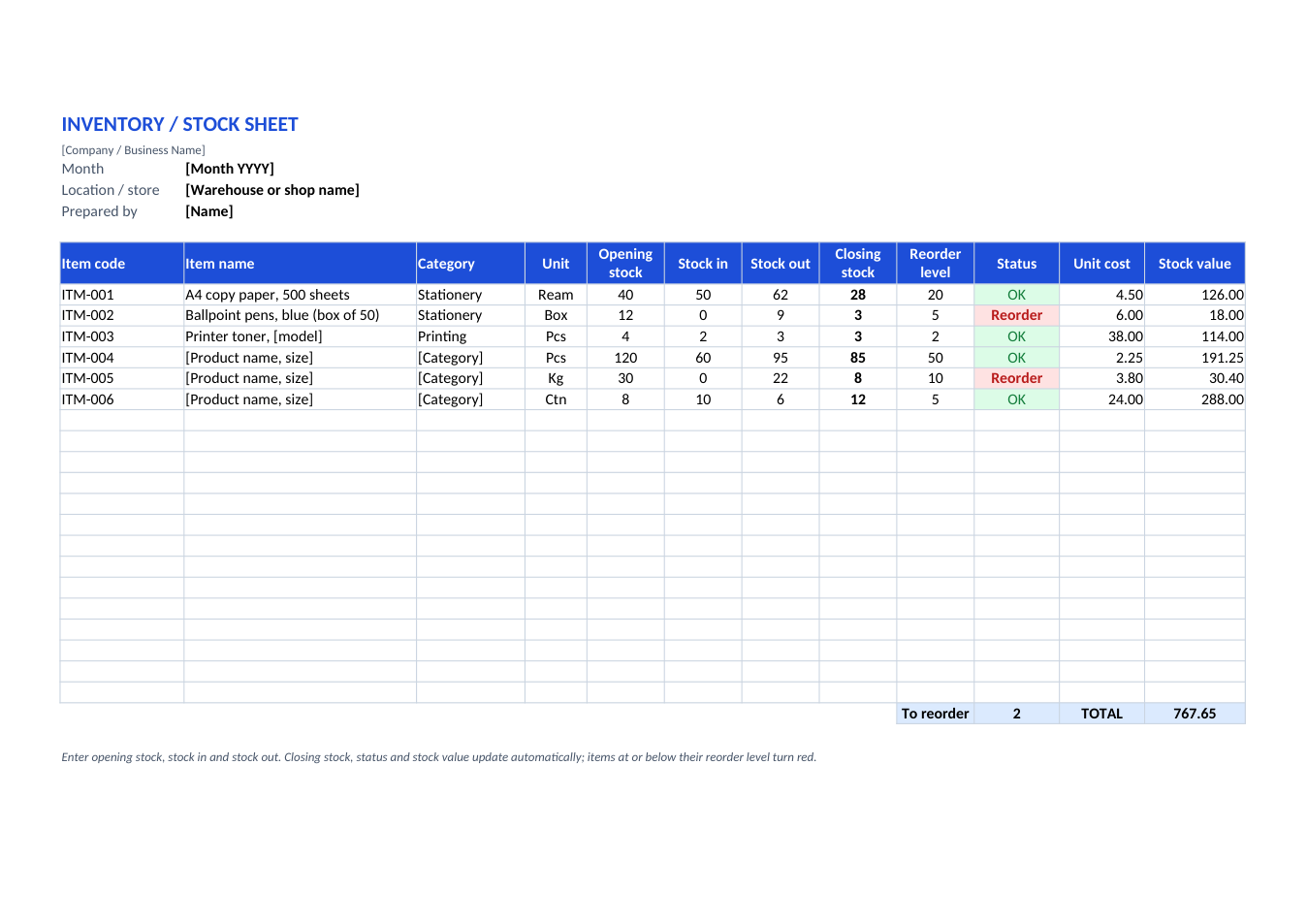
Track stock in and out for each item, see closing stock and stock value, and spot items to reorder in red.
Opens in your browser. No Excel needed, no signup.
Free for personal and commercial use · No watermark · Updated October 2026
Guide
About this inventory / stock sheet template
Running out of a best-seller loses sales; overstocking ties up cash. This stock sheet tracks every item with opening stock, stock received and stock sold or used, then calculates closing stock and its value. Any item at or below its reorder level turns red, and the total shows how many items to reorder. It suits shops, pharmacies, restaurants, offices and small warehouses.
How to use this inventory sheet
- 1
Click "Edit online" to open it in your browser, or download the Excel file.
- 2
List each item with a code, name, category, unit and unit cost.
- 3
Enter the opening stock and set a reorder level: the quantity that should trigger a new order.
- 4
Through the month, add stock received to "Stock in" and stock sold or used to "Stock out".
- 5
At month-end, copy closing stock into a new sheet as the next month's opening stock.
Tips for stock control
Count physically
Compare the sheet with a real count every month. Differences point to theft, damage or recording mistakes.
Set smart reorder levels
Reorder level = daily usage × supplier lead time in days, plus a safety margin.
One sheet per month
Duplicate the sheet each month (right-click the tab > Move or Copy) to keep a history.
Use codes
Short item codes make counting and searching faster. Print them as QR labels with the QR code generator.
Frequently Asked Questions
Tools that help
Excel to PDF
Convert Excel spreadsheets to PDF with all sheets preserved
QR Code Generator
Generate QR codes for URLs, text, WiFi and more
PDF to Excel
Extract tables from PDF into editable Excel spreadsheets
CSV to JSON
Convert CSV files and data to JSON format instantly