Sample text in [brackets], replace with yours · Accounting & Small Business Spreadsheets
Cash Book Template — Daily Cash Register (Excel & PDF)
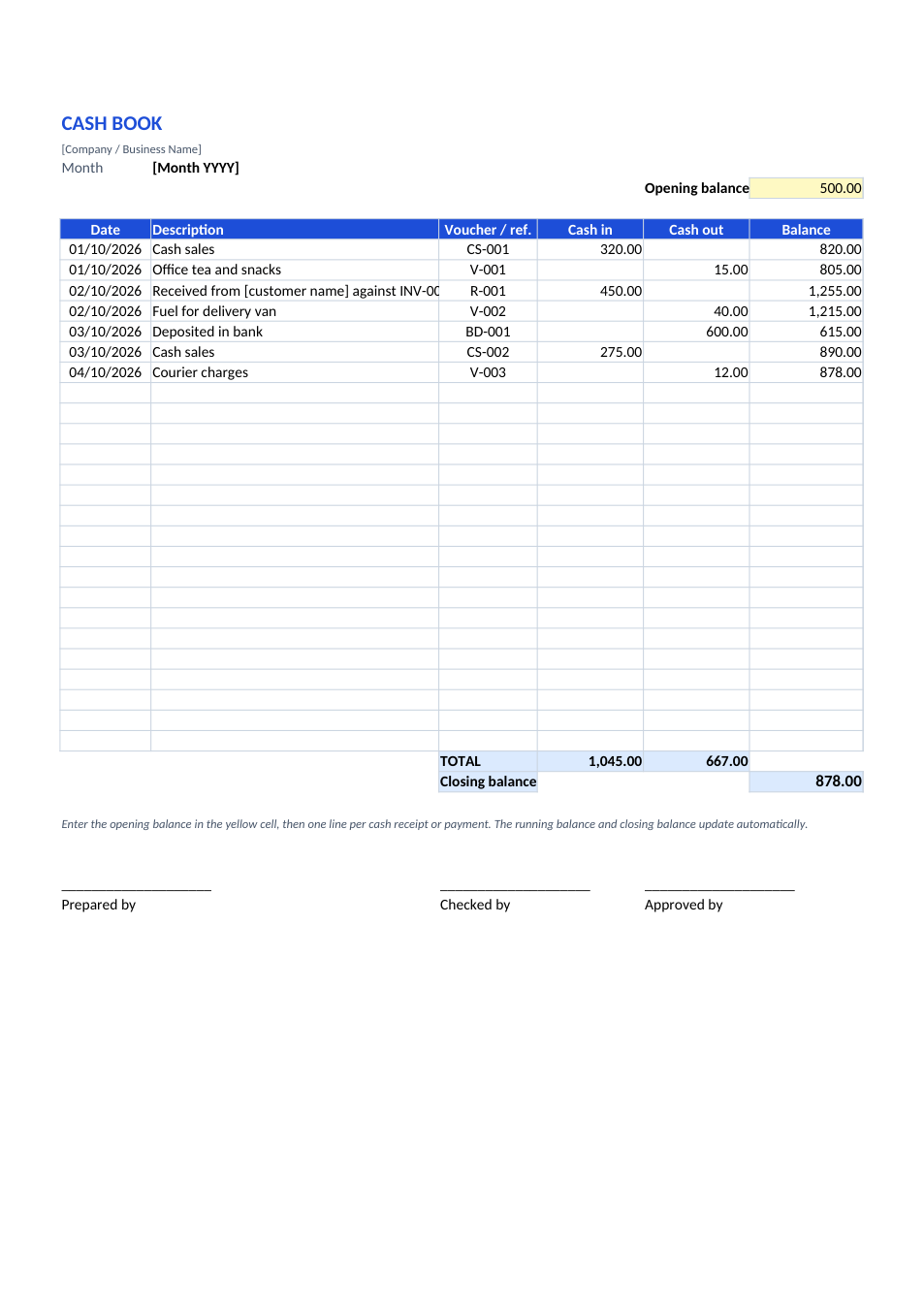
Record every cash receipt and payment, with a running balance and month-end closing balance.
Opens in your browser. No Excel needed, no signup.
Free for personal and commercial use · No watermark · Updated October 2026
Guide
About this cash book template
A cash book is the simplest accounting record a small business can keep: every rupee, dollar or dirham in and out, in date order, with the balance after each line. This sheet starts from an opening balance, keeps a running balance as you add lines, and totals cash in, cash out and the closing balance. It works for shops, restaurants, clinics, offices and petty cash.
How to use this cash book
- 1
Click "Edit online" to open it in your browser, or download the Excel file.
- 2
Type the cash in hand at the start of the month in the yellow opening balance cell.
- 3
Add one line for every receipt or payment, with the date, a clear description and a voucher number.
- 4
Count the cash at the end of each day and check it matches the running balance.
- 5
At month-end, sign the sheet and carry the closing balance forward as next month's opening balance.
Tips for keeping cash records
Record it immediately
Write each line when the cash moves, not at the end of the day from memory.
Use vouchers
Give every payment a numbered voucher or receipt and write the number in the ref. column.
Bank deposits are cash out
Cash deposited in the bank leaves the cash box, so record it as cash out.
Separate petty cash
Keep small office expenses in their own cash book with a fixed float.
Frequently Asked Questions
Tools that help
Excel to PDF
Convert Excel spreadsheets to PDF with all sheets preserved
PDF to Excel
Extract tables from PDF into editable Excel spreadsheets
Percentage Calculator
Calculate percentages, increase, decrease, and ratios
Currency Converter
Convert between 150+ world currencies with live rates