Sample text in [brackets], replace with yours · Invoice, Receipt & Order Templates
Purchase Order Template (Word, Excel & PDF)
Order goods or services from a supplier with a PO number, ship-to address, delivery and payment terms.
Opens in your browser. No Excel needed, no signup.
Free for personal and commercial use · No watermark · Updated October 2026
Guide
About this purchase order template
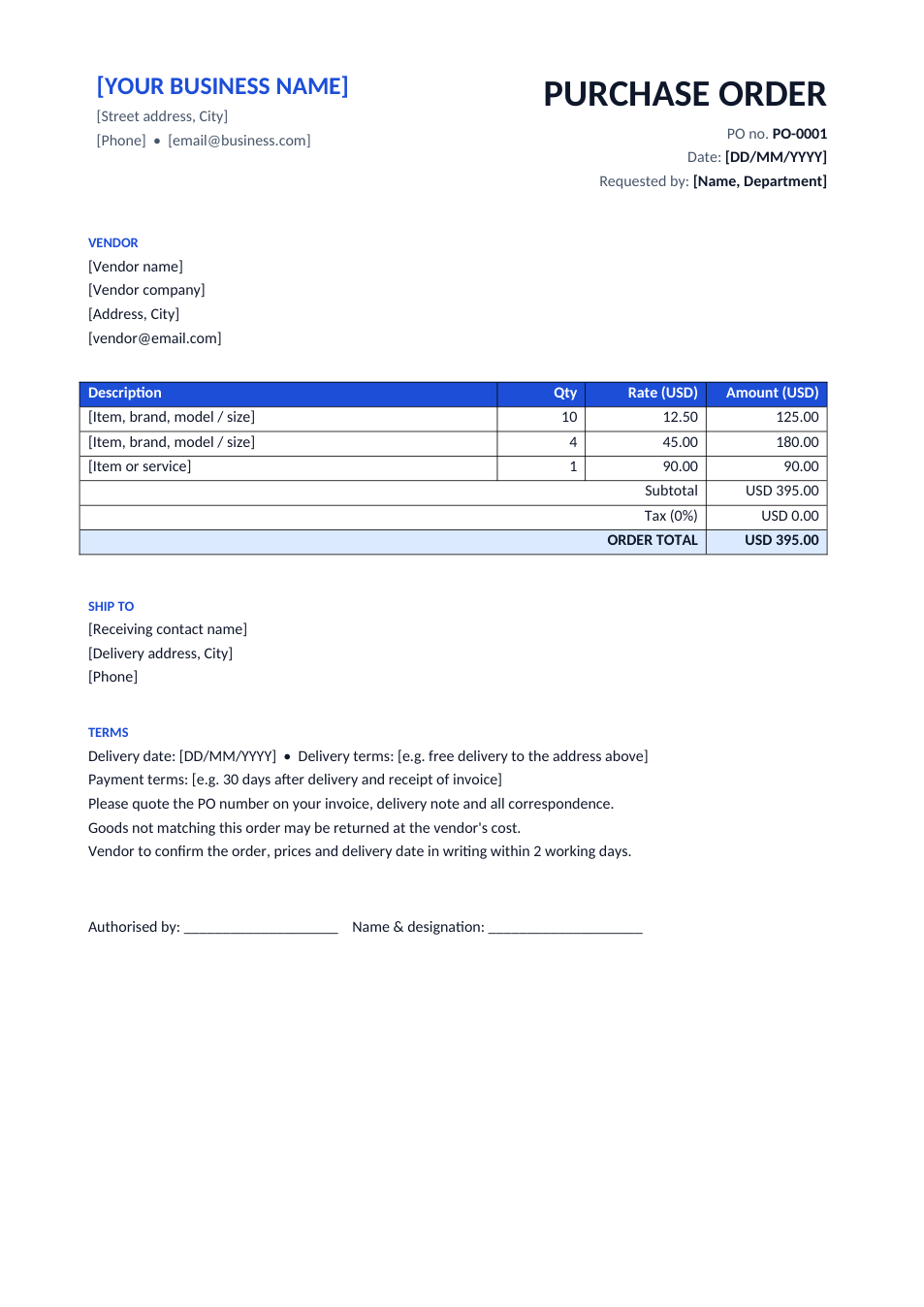
A purchase order (PO) is the document a buyer sends a supplier to order goods or services at agreed prices. Once the supplier accepts it, it works as a contract. This template has a PO number, the vendor and ship-to details, line items with totals, delivery and payment terms, and an authorisation line.
How to fill in this purchase order
- 1
Click "Edit online" to open the Excel version, or download Word or Excel.
- 2
Add your company details, a new PO number and the person who requested the order.
- 3
Fill in the vendor's details and the delivery address.
- 4
List each item with exact specifications, quantity and agreed price.
- 5
Set the delivery date and payment terms, get it signed by an authorised person, and send it as PDF.
Tips for purchasing
Be exact
Brand, model, size and unit on every line stop the wrong goods from arriving.
Ask for confirmation
Ask the vendor to confirm the PO in writing before they ship.
Match three documents
Before paying, check the PO, the delivery note and the invoice agree (a "three-way match").
Use one PO per order
A separate number for each order keeps deliveries and invoices easy to track.
Frequently Asked Questions
Tools that help
Excel to PDF
Convert Excel spreadsheets to PDF with all sheets preserved
Word to PDF
Convert Word documents to PDF format with perfect formatting
Sign PDF
Add a handwritten, typed, or uploaded signature to your PDF and download the signed file.
Merge PDF
Combine multiple PDF files into one document