Sample text in [brackets], replace with yours · CV & Resume Templates
Modern CV Template — Two-Column Design (Word & PDF)
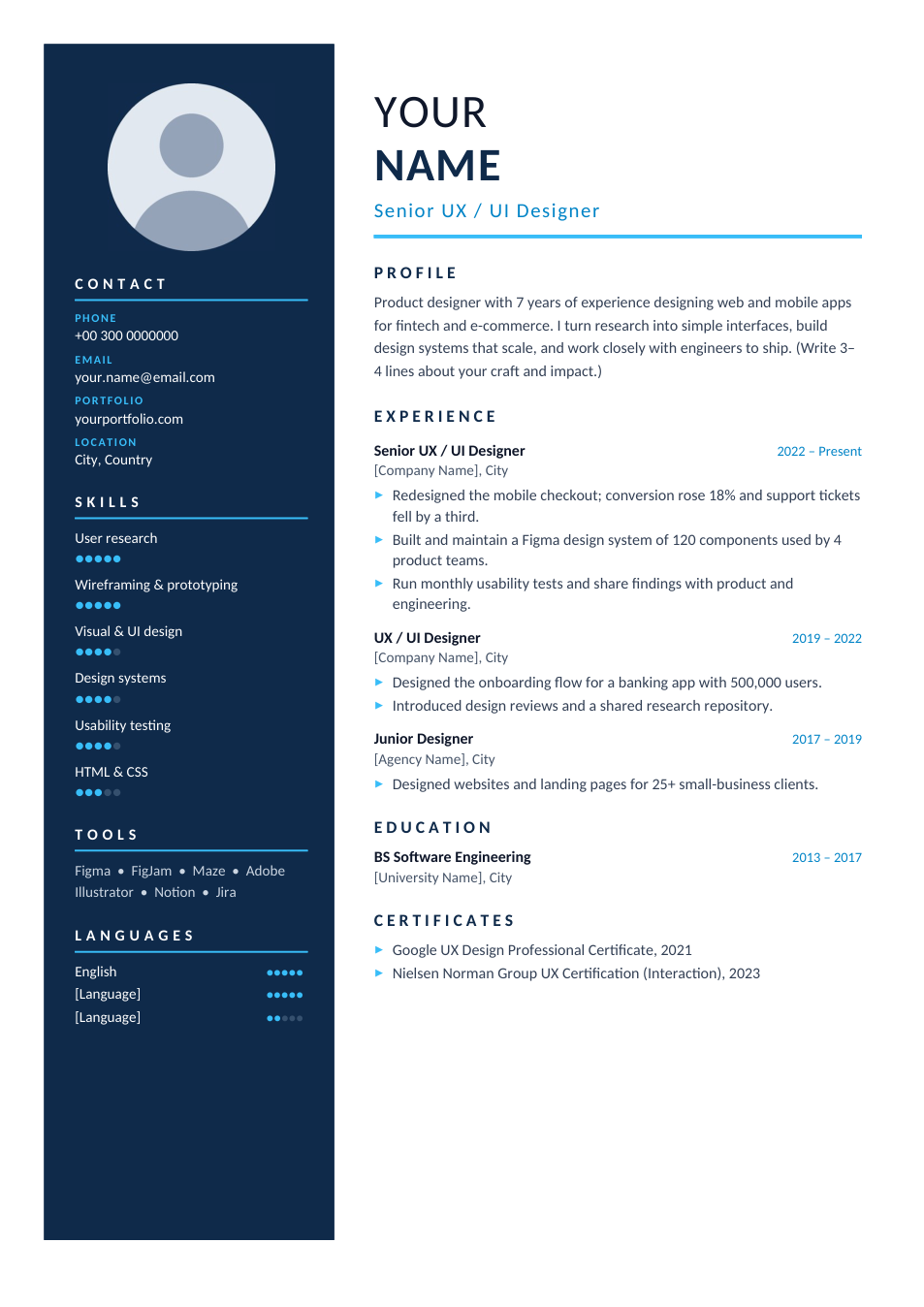
A premium one-page CV with a navy sidebar, round photo, skill ratings and a clean timeline.
Opens in your browser. No Word needed, no signup.
Free for personal and commercial use · No watermark · Updated October 2026
Guide
About this modern two-column cv template
When a person, not a parser, reads your CV first — at a career fair, through a referral or in a direct email — design helps you stand out. This template uses a navy sidebar for your photo, contact details, skill ratings and languages, and keeps the right column for your profile, experience and education. The sample is for a UX/UI designer, but the layout suits any role where presentation matters.
How to fill in this CV
- 1
Open it with "Edit online", or download the Word file.
- 2
Right-click the round photo and choose "Change Picture" to add your own (a square photo works best).
- 3
Update the contact details, then set each skill rating by recolouring the dots: five filled dots is expert.
- 4
Replace the profile and experience with your own; keep each bullet to one or two lines.
- 5
Check that everything still fits on one page, then download it as PDF.
Tips for a designed CV
Know when to use it
Two-column layouts can confuse applicant tracking systems. For online job portals, send our one-column Professional CV instead.
Rate skills honestly
Five dots everywhere means nothing. Show real differences so your top skills stand out.
Use a professional photo
Plain background, good light, head and shoulders. You can make one with the passport photo tool.
Always send a PDF
A PDF keeps the sidebar, colours and fonts exactly as designed on any device.
Frequently Asked Questions
Tools that help
Word to PDF
Convert Word documents to PDF format with perfect formatting
Passport Photo Maker
Create passport, visa, and ID photos with correct size, DPI, and white background
Compress PDF
Reduce PDF file size without losing quality
Resize Image
Resize images to any custom dimensions or percentage