Sample text in [brackets], replace with yours · CV & Resume Templates
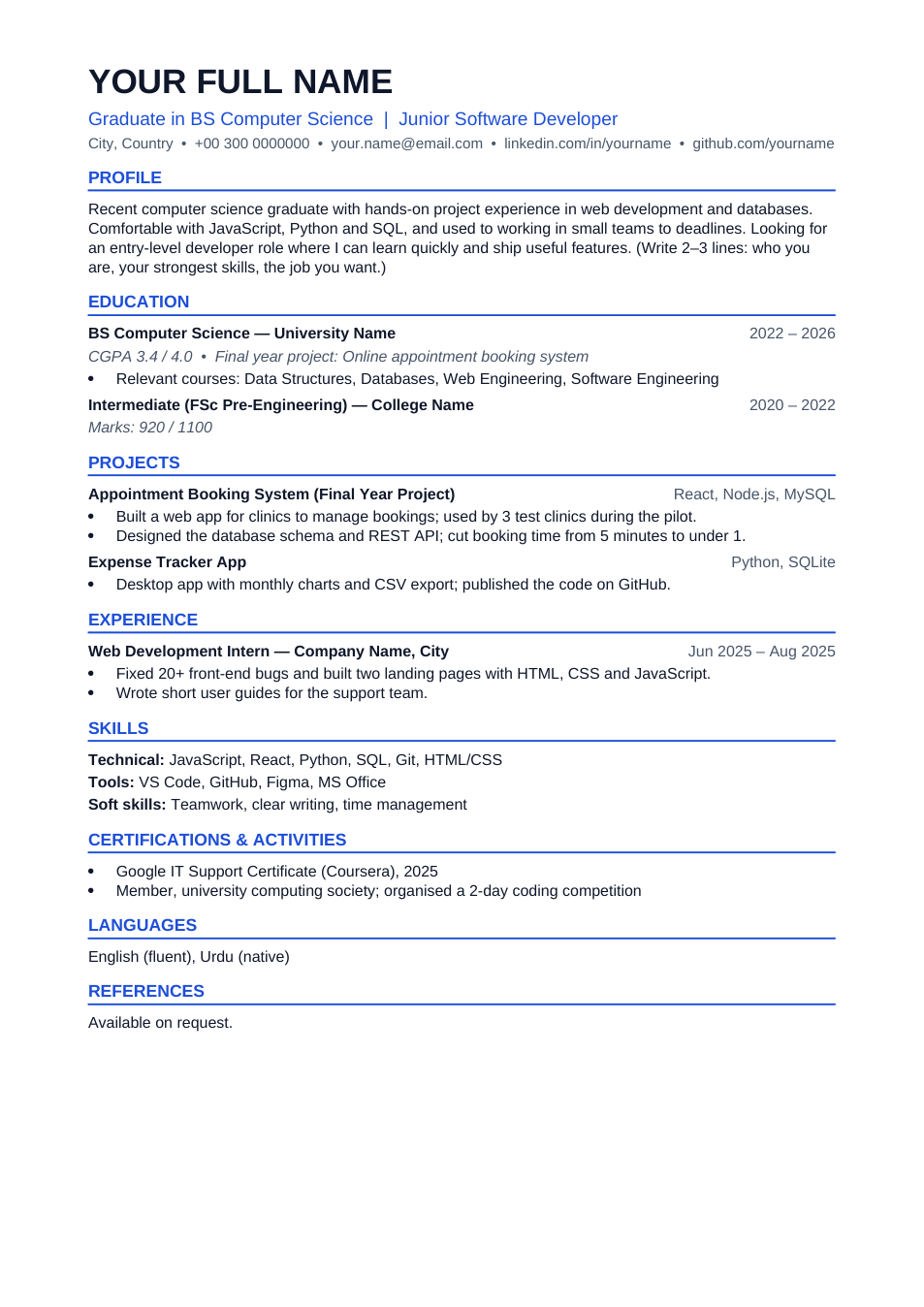
Fresh Graduate CV Template (Word & PDF)
A one-page, ATS-friendly CV for your first job. Edit it online or download it free.
Opens in your browser. No Word needed, no signup.
Free for personal and commercial use · No watermark · Updated October 2026
Guide
About this fresh graduate cv template
This CV is built for people applying to their first full-time job: education and projects come first, experience is short, and everything fits on one A4 page. It uses a single column, standard fonts and real text headings, so applicant tracking systems (ATS) can read every line.
How to fill in this CV
- 1
Click "Edit online" to open the CV in the browser editor, or download the Word file to edit it in Microsoft Word or Google Docs.
- 2
Replace the name, title and contact line. Use a professional email address and your LinkedIn or GitHub link.
- 3
Rewrite the profile in 2–3 lines: what you studied, your strongest skills and the job you want.
- 4
Fill in education and projects with numbers where you can (grades, users, time saved).
- 5
Delete any section you don't need, check it still fits on one page, then download it as PDF to send.
Tips for a stronger graduate CV
Send it as a PDF
A PDF keeps your layout the same on every computer. Edit in Word, then save or convert to PDF before you apply.
Lead with projects
With little work experience, your final year project and personal projects are your evidence. Say what you built and what changed because of it.
Match the job ad
Use the same words the job ad uses for skills (for example "React" rather than "front-end framework"), so both the ATS and the recruiter find them.
Keep the photo off unless asked
Many international employers prefer no photo. If a local employer asks for one, use a plain passport-style photo.
Frequently Asked Questions
Tools that help
Word to PDF
Convert Word documents to PDF format with perfect formatting
Passport Photo Maker
Create passport, visa, and ID photos with correct size, DPI, and white background
Compress PDF
Reduce PDF file size without losing quality
Resize Image
Resize images to any custom dimensions or percentage