Sample text in [brackets], replace with yours · CV & Resume Templates
Professional CV Template — ATS-Friendly (Word & PDF)
A clean, one-column CV that puts your results first. Built to pass ATS screening.
Opens in your browser. No Word needed, no signup.
Free for personal and commercial use · No watermark · Updated October 2026
Guide
About this professional cv template
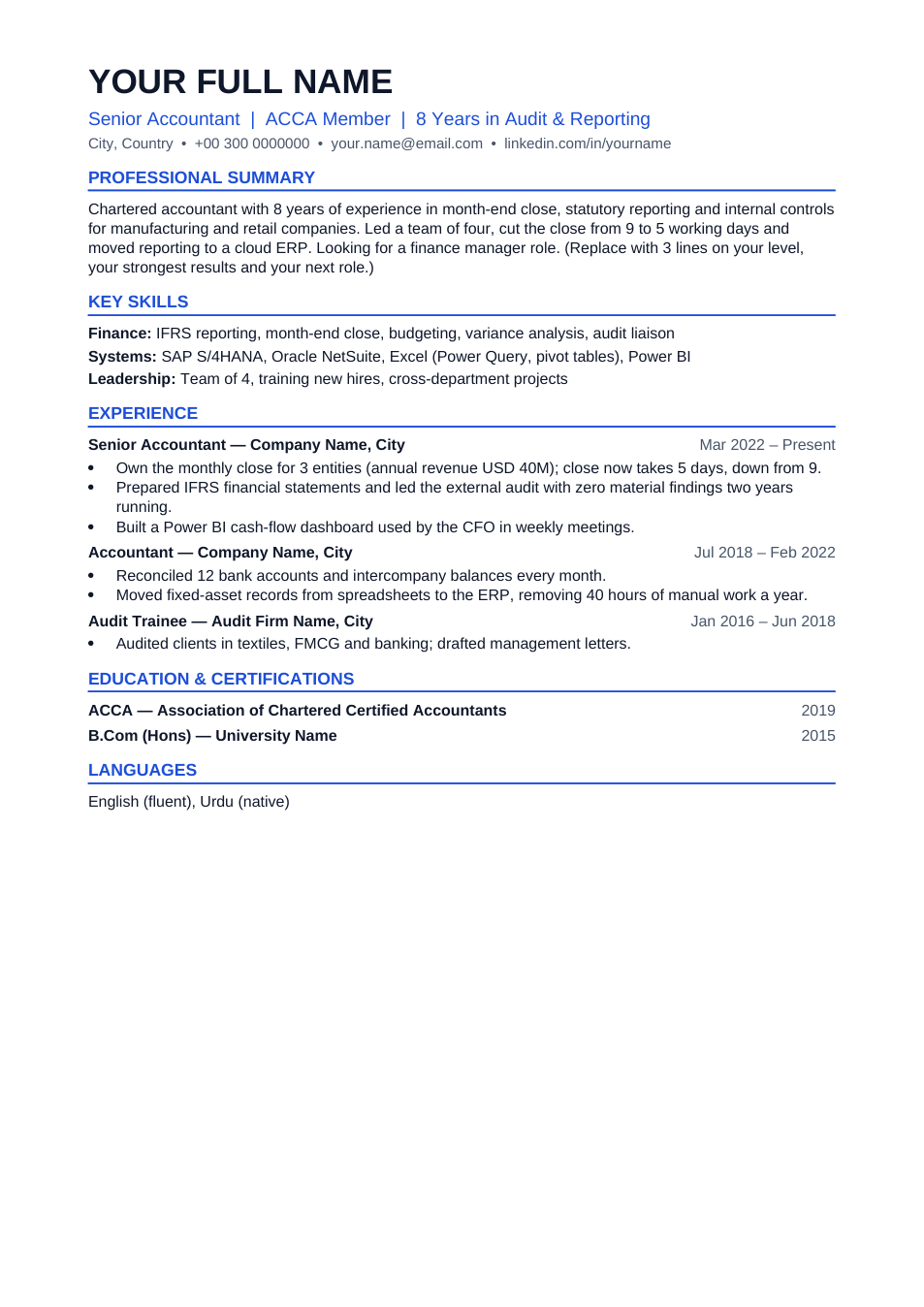
For people with a few years of experience, the job history is the CV. This template opens with a short summary and key skills, then lists each role with measurable results. It keeps to one column with plain headings so applicant tracking systems read it correctly. The sample text is for an accountant; replace it with your own field.
How to fill in this CV
- 1
Open it with "Edit online", or download the Word file.
- 2
Write a 3-line summary: your level, the result you're proudest of, and the role you want next.
- 3
For each job, list 2–4 bullets that start with an action and end with a result ("cut the close from 9 to 5 days").
- 4
Keep only the last 10–15 years and the roles that matter for the job you're applying to.
- 5
Save it as PDF and name the file with your name, e.g. "Ayesha-Khan-CV.pdf".
Tips for an experienced CV
Numbers beat adjectives
"Managed a team of 4" and "saved 40 hours a year" tell a recruiter more than "hard-working" and "detail-oriented".
One CV per job type
Keep a master copy, then make a tailored copy for each kind of role, moving the most relevant results to the top.
Two pages is fine if earned
With 10+ years of relevant work, a second page is acceptable. Never pad to reach it.
Skip "References available"
Employers assume it. Use the space for another result.
Frequently Asked Questions
Tools that help
Word to PDF
Convert Word documents to PDF format with perfect formatting
Compress PDF
Reduce PDF file size without losing quality
PDF to Word
Convert PDF files to editable Word documents instantly
Passport Photo Maker
Create passport, visa, and ID photos with correct size, DPI, and white background